FreeBrowser extension for Chrome and Edge
Read and explore Markdown in your browser
Open a local .md file, browse an entire folder, or read Markdown from the web. Use a folder tree, outline, tabs, and search while diagrams, math, and code render in place.
- Free, no account
- Files never leave your computer
- Refreshes when the file changes
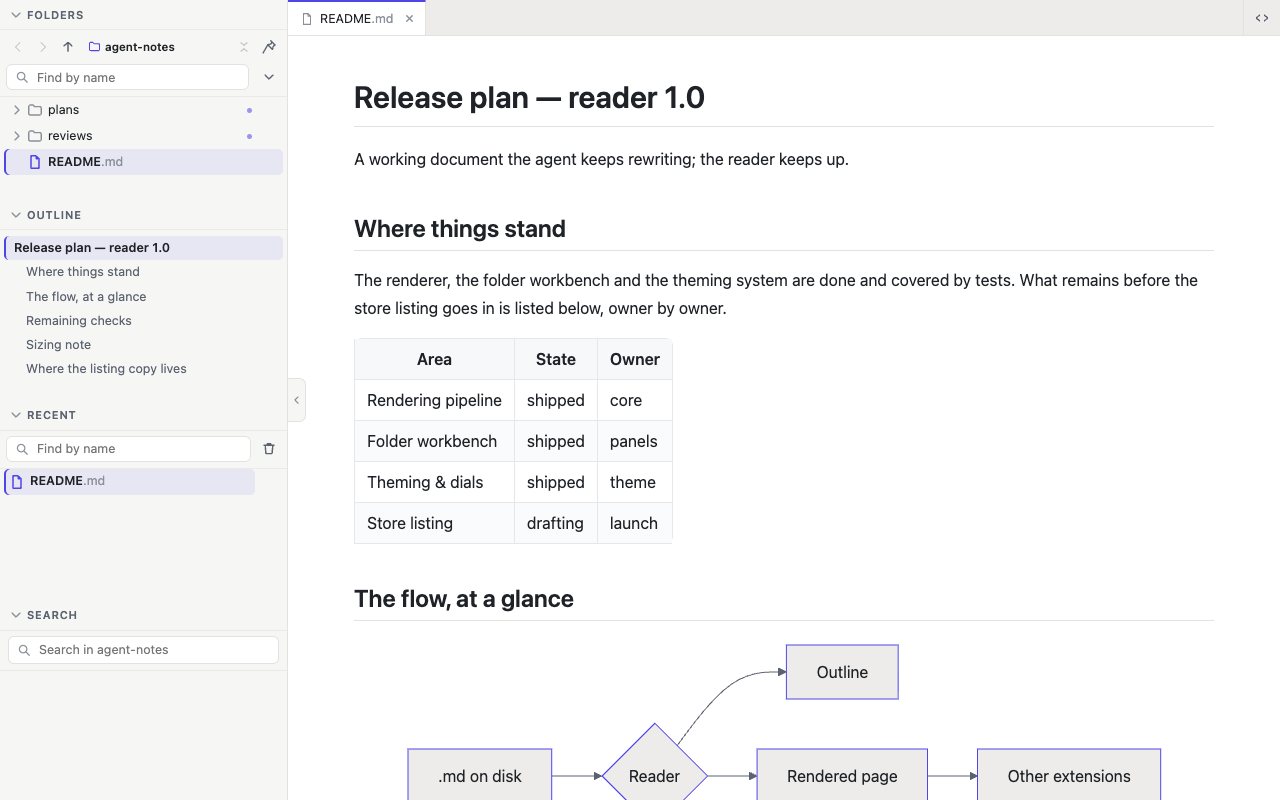
# Release plan — reader 1.0

A working document the agent keeps rewriting; the reader keeps up.

## Where things stand

The renderer, the folder workbench and the theming system are done and
covered by tests. What remains before the store listing goes in is listed
below, owner by owner.

| Area | State | Owner |
| --- | --- | --- |
| Rendering pipeline | shipped | core |
| Folder workbench | shipped | panels |
| Theming & dials | shipped | theme |
| Store listing | drafting | launch |

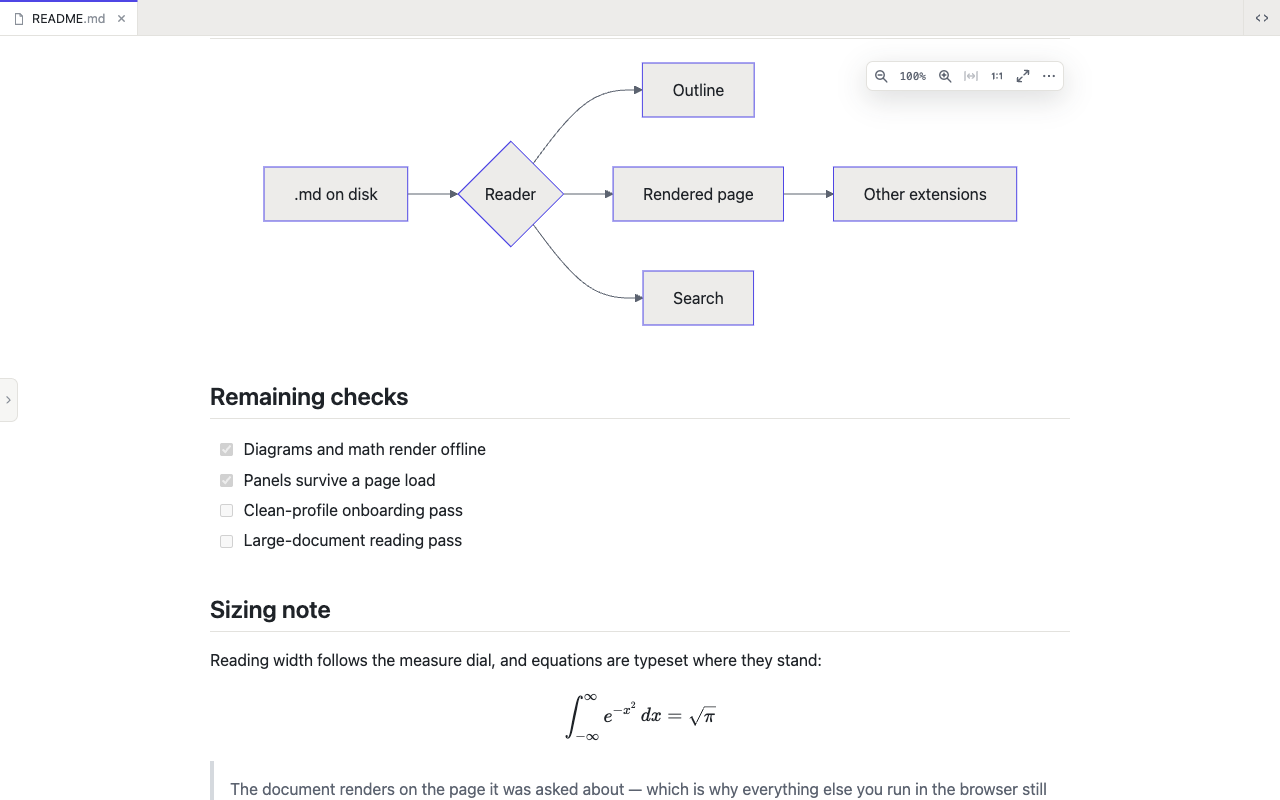
## The flow, at a glance

```mermaid
flowchart LR
  A[.md on disk] --> B{Reader}
  B --> D[Outline]
  B --> C[Rendered page]
  B --> E[Search]
  C --> F[Other extensions]
```

## Remaining checks

- [x] Diagrams and math render offline
- [x] Panels survive a page load
- [ ] Clean-profile onboarding pass
- [ ] Large-document reading pass

## Sizing note

Reading width follows the measure dial, and equations are typeset where
they stand:

$$
\int_{-\infty}^{\infty} e^{-x^2}\,dx = \sqrt{\pi}
$$

> The document renders on the page it was asked about — which is why
> everything else you run in the browser still works on top of it.

## Where the listing copy lives

```ts
export const listing = {
  title: 'Markdown Browser Tools',
  summary: 'Read Markdown the way you read the web.',
  screenshots: 5,
}
```
Open the folder your agent keeps filling
Every Markdown file appears in a sidebar tree. Search the folder, pin the files you return to, and move between documents without dragging them into the browser one by one.
Use it for project docs, meeting notes, or a folder of plans and reports generated by AI. Folder browsing is free and requires no sign-in.
Know where you are in a long document
The outline lists every heading and marks the section currently on screen. Jump straight to what you need instead of scrolling through a long plan or report.
Put the tools where you want them
Move folders, outline, recent files, and search to either side. Stack them, group them as tabs, or hide what you do not use. Start with a preset; your layout is remembered.
Diagrams, formulas, tables, and code included
Rich Markdown renders offline inside the document. Each block gets the controls it needs for copying, opening, zooming, or saving.
- Code, highlighted, with copy and line wrap
- Tables that keep their header in view and copy back out as Markdown
- Pictures that open large, with a gallery of the page
- Mermaid diagrams in your colours, saved as SVG or PNG
- KaTeX math, inline and on its own, copyable as TeX
- Task lists, footnotes, alerts and quotes, the way GitHub draws them
Make every file comfortable to read
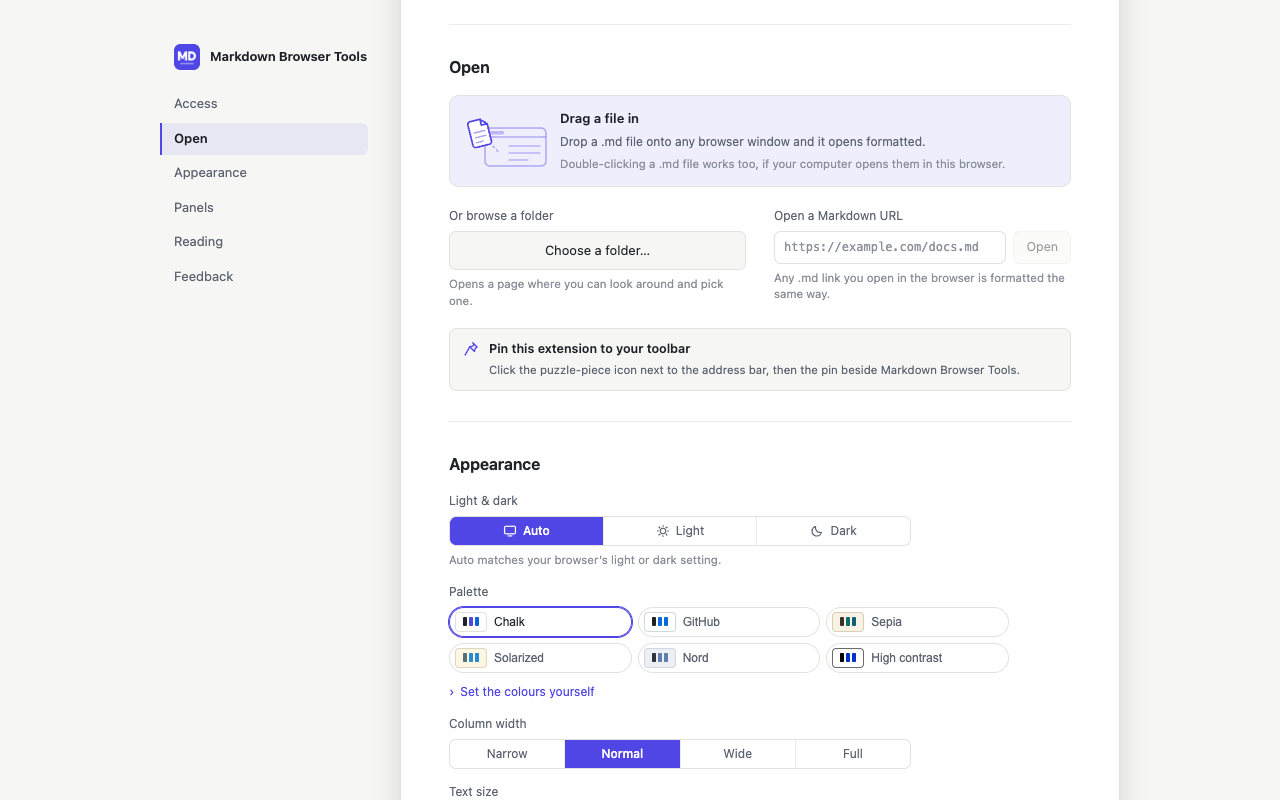
Choose one of six colour themes, then adjust text size, line spacing, page width, and panel density. Light and dark mode stay independent, and you can set the page colours yourself.
- Chalk
- GitHub
- Sepia
- Solarized
- Nord
- High contrast
Built for reading, down to the details
A focused browser workspace for local Markdown, with the navigation and rendering a preview pane leaves out.
Tabs, outline, and panels
Keep several documents open in tabs. A clickable outline follows you as you scroll, and the side panels arrange however you like.
Markdown on the web, too
Some sites serve raw Markdown files. On sites you allow, those files open as readable pages. Ordinary web pages are left alone.
Always up to date
When a file changes on disk, the page refreshes automatically. Keep reading while an AI tool or teammate continues writing.
Private by design
No account, no tracking, no server. Your files are rendered on your computer and never leave it.
Ten languages
The interface in English, 简体中文, 繁體中文, 日本語, Deutsch, Español, Français, 한국어, Português and Русский. Your documents can be in any language.
Your other extensions keep working
The page is rendered right in the tab, so translators, highlighters, read-aloud and clippers work on it as on any web page.
Common questions
The things worth knowing before you install an extension that reads files.
- Is it really free?
- Yes. Reading, folder browsing, search, and themes are free, with no account or trial period. If paid extras arrive later, such as PDF export, reading will stay free.
- What happens to my files?
- Nothing leaves your computer. Files render locally in your browser, with no server, account, or tracking.
- Why does it ask for "Allow access to file URLs"?
- That's a safety switch built into your browser: no extension can read local files until you allow it. You turn it on once in your browser's extension settings, and the extension points you to exactly the right page.
- Why use this if my code editor previews Markdown?
- An editor preview lives inside the editor. In the browser, a Markdown file opens like any other page: anyone can double-click a README without setting up a project, your documents sit in tabs next to the rest of your reading, and the browser extensions you already use — translators, highlighters, read-aloud — work right on the page.
- Does it change the websites I visit?
- No. It only steps in when a site actually serves a Markdown file, which it checks by content type. Regular web pages are never touched, and you can limit which sites it runs on in your browser's settings.
- What languages does it support?
- The interface is available in ten languages, including English, 简体中文, 繁體中文, 日本語, Deutsch, Español, Français, 한국어, Português, and Русский. Your documents can be in any language.
Open your next Markdown file in the browser
Free, no account, and no upload. Install the extension and keep your files on your computer.
Install the extension
Add it to Chrome or Edge with one click. It's free.
Allow file access
Turn on the browser's "Allow access to file URLs" switch so the extension can open files on your computer. It takes you to the right setting.
Open your Markdown
Drag a .md file into any browser window, or pick a folder and browse everything inside it.